
// projects / modbus
ClimateMonitor: real-time climate dashboard for Modbus RTU
Reads temperature and humidity sensors (XY-MD02, XY-MD04 and similar) over RS-485 and shows them live, with Mollier diagram, history, notifications and MQTT. Everything is set up in the browser. Open source.





// features
What it does
Runs on a Raspberry Pi or a Linux, Windows or macOS machine with a USB/RS-485 interface. Built with Python, Dash and Plotly.
-
Multiple sensors and buses
Several USB/RS-485 interfaces, each with several Modbus slaves. Buses are read in parallel. A sensor that does not answer does not hold up the others.
-
Live dashboard
New values every second. Two views: Board (every sensor as a row with a 24-hour trend) and Meters (one panel per sensor). Dark and light theme, works on phones and tablets.
-
Calculated values
Dew point, absolute humidity, Humidex and a comfort score from 0 to 6 following the Environment Canada standard.
-
Mollier diagram
Saturation line, RH curves and comfort zone, with every sensor as a point in its own colour. Zoom and pan with Plotly.
-
History and replay
Stored in SQLite with a table per day and WAL mode, built to run for years. Pick a period and drag through time to replay the climate in the Mollier diagram.
-
Notifications
Telegram and/or e-mail when a limit is exceeded, for all sensors or per sensor, with alarm delay and hysteresis. Also when values recover and when a sensor goes offline.
-
MQTT
Values per sensor to an MQTT broker, for Home Assistant, Node-RED or SCADA. With TLS, login and a last will for the online status.
-
Everything in the browser
Set buses, sensors, limits, timezone, language and data retention without editing files or restarting. Protected with an admin password.
-
Runs as a service
Install scripts for Linux/Raspberry Pi (systemd) and Windows. Starts at boot, also without logging in. Interface in five languages: NL, EN, DE, FR and ES.
// screenshots
What it looks like
Screenshots use demonstration data.
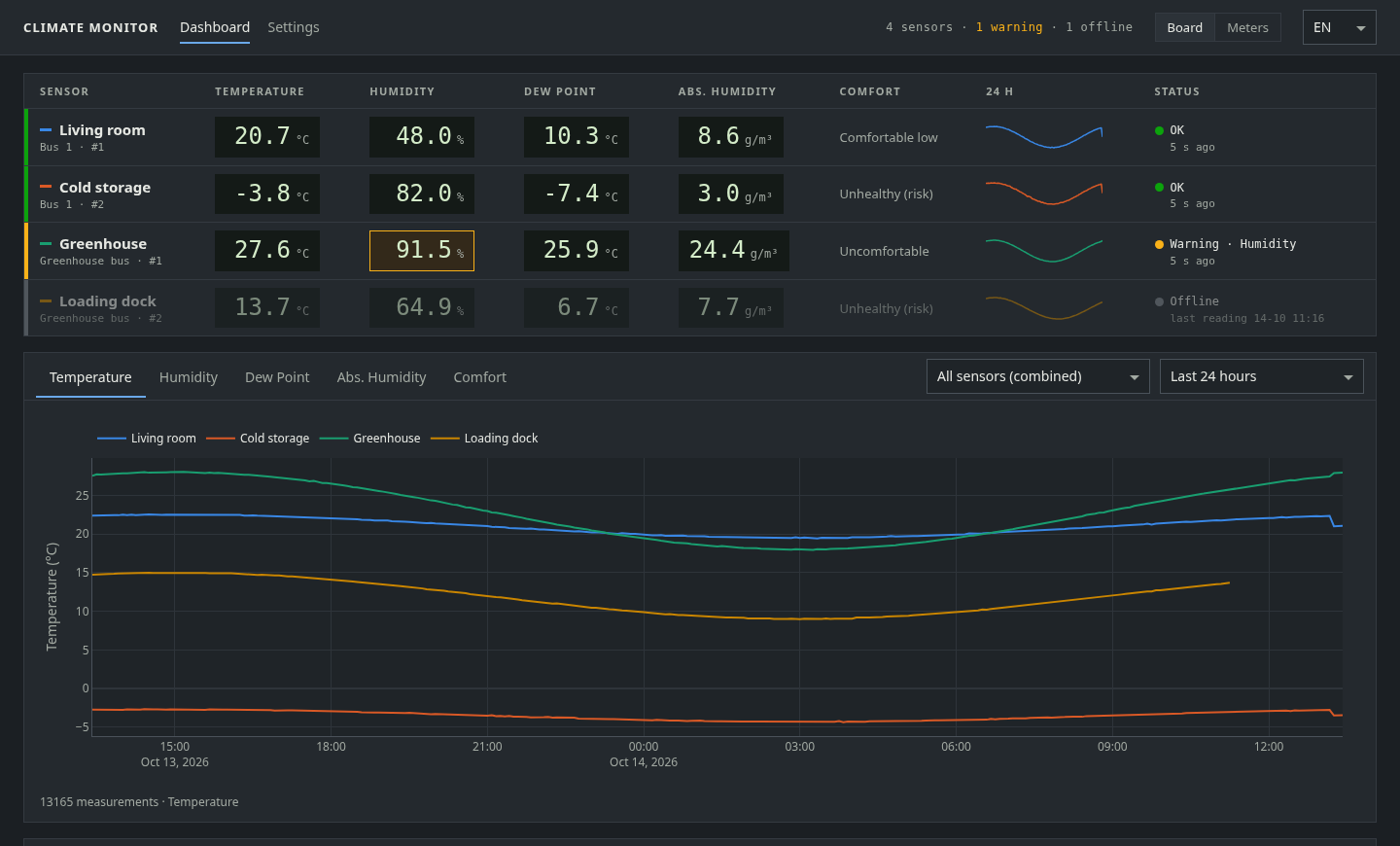
Board view, dark theme 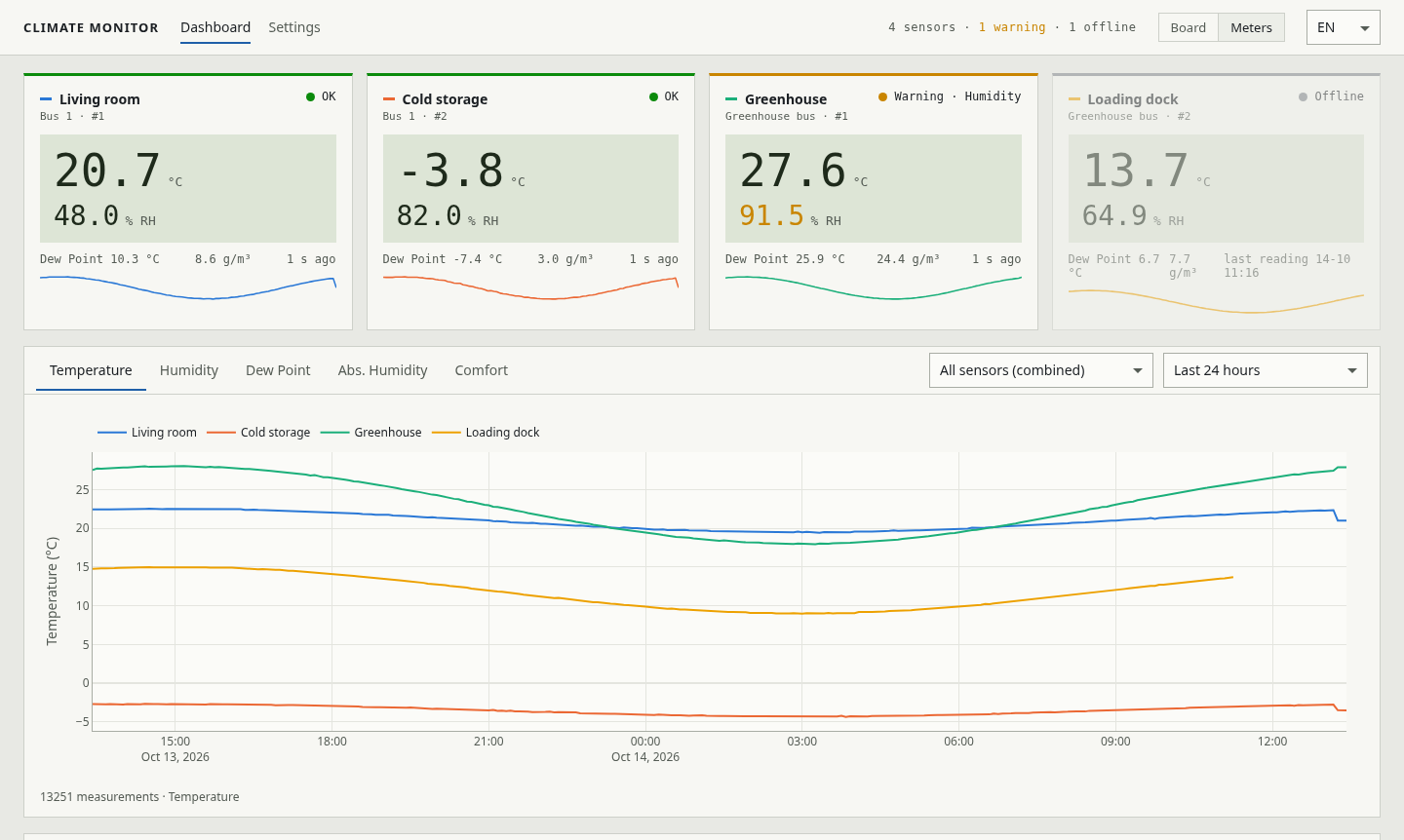
Meters view, light theme 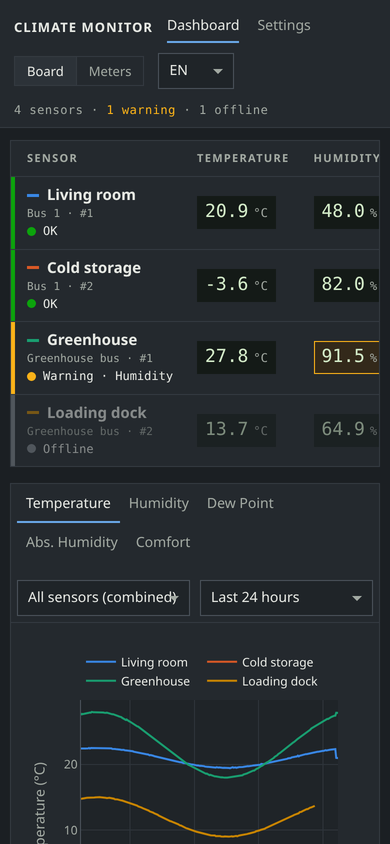
Phone, dark theme 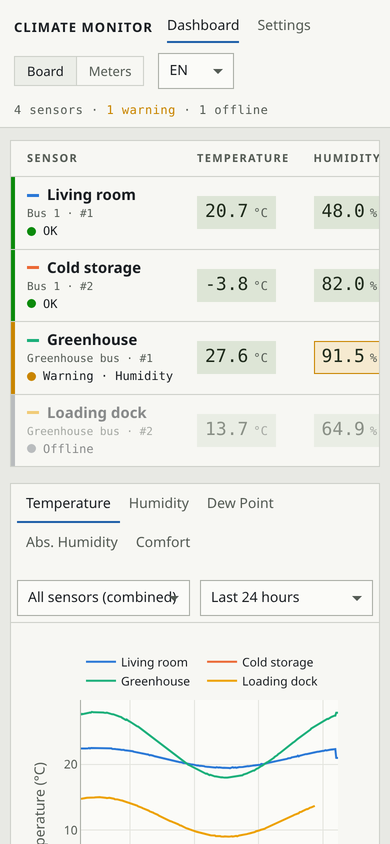
Phone, light theme 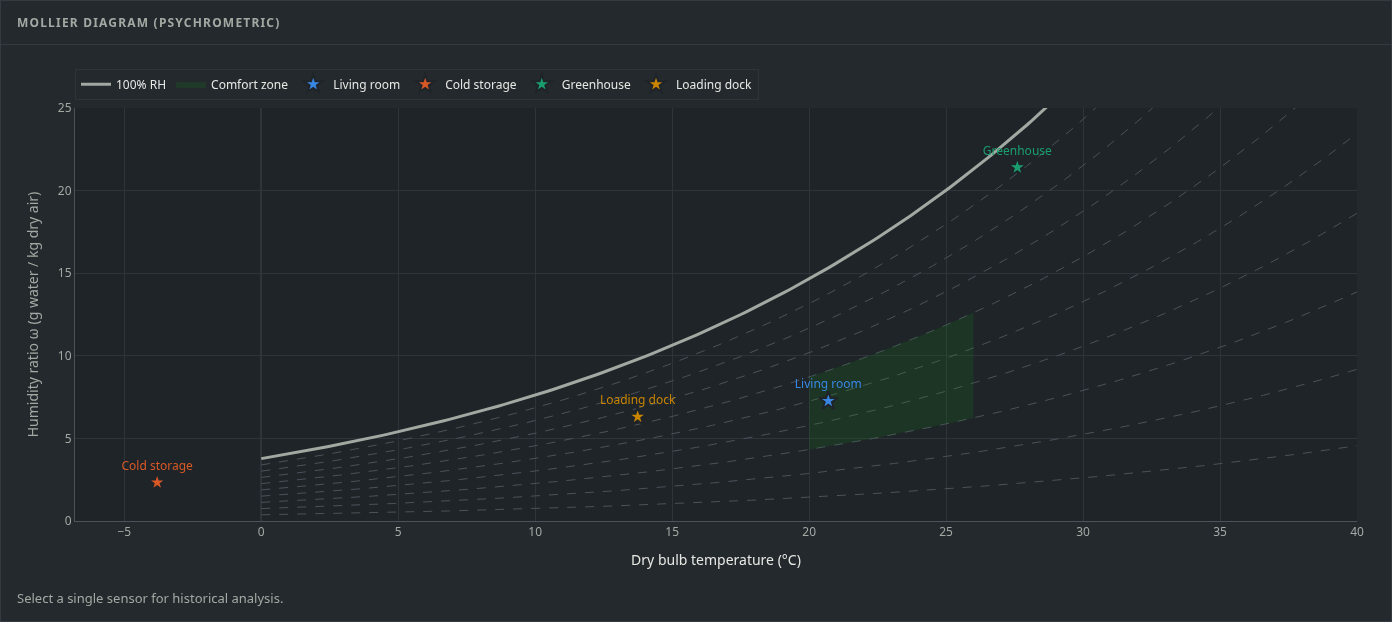
Mollier diagram with all sensors 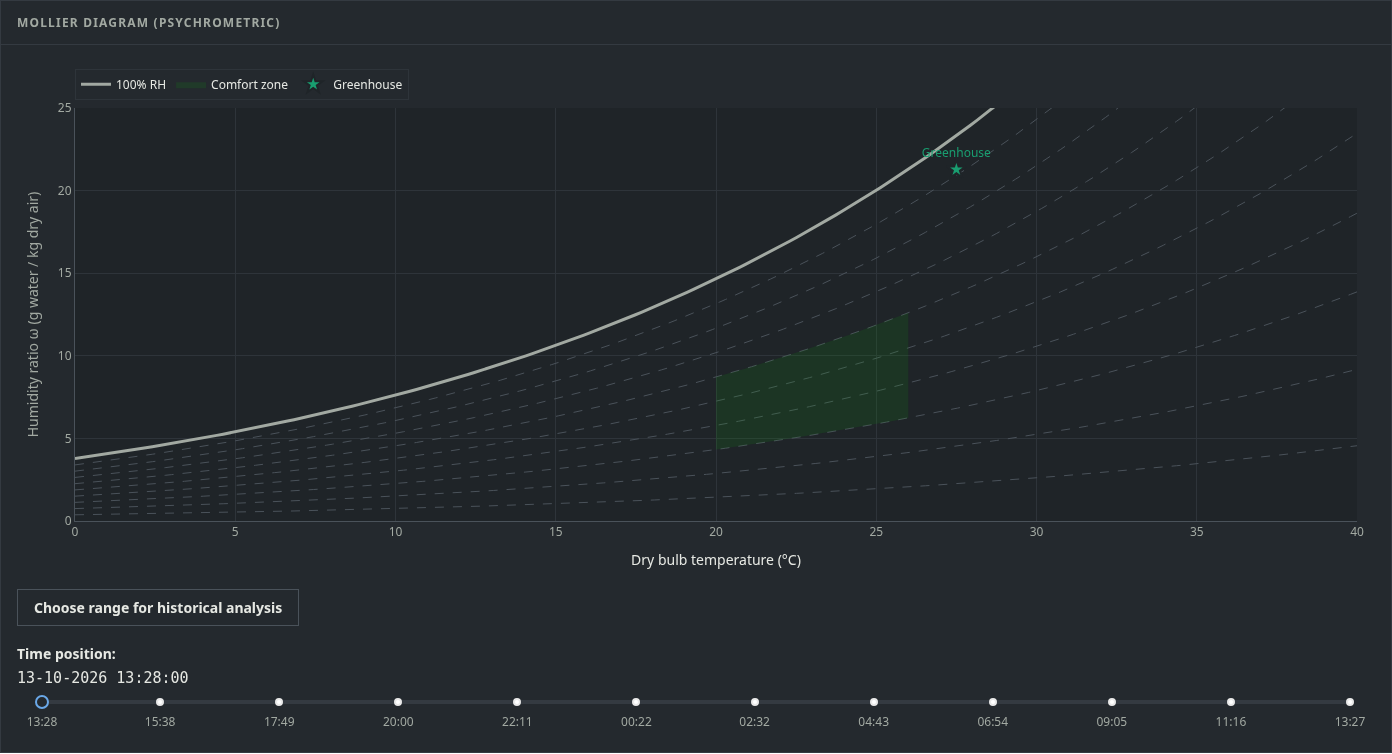
Historical replay in the Mollier diagram 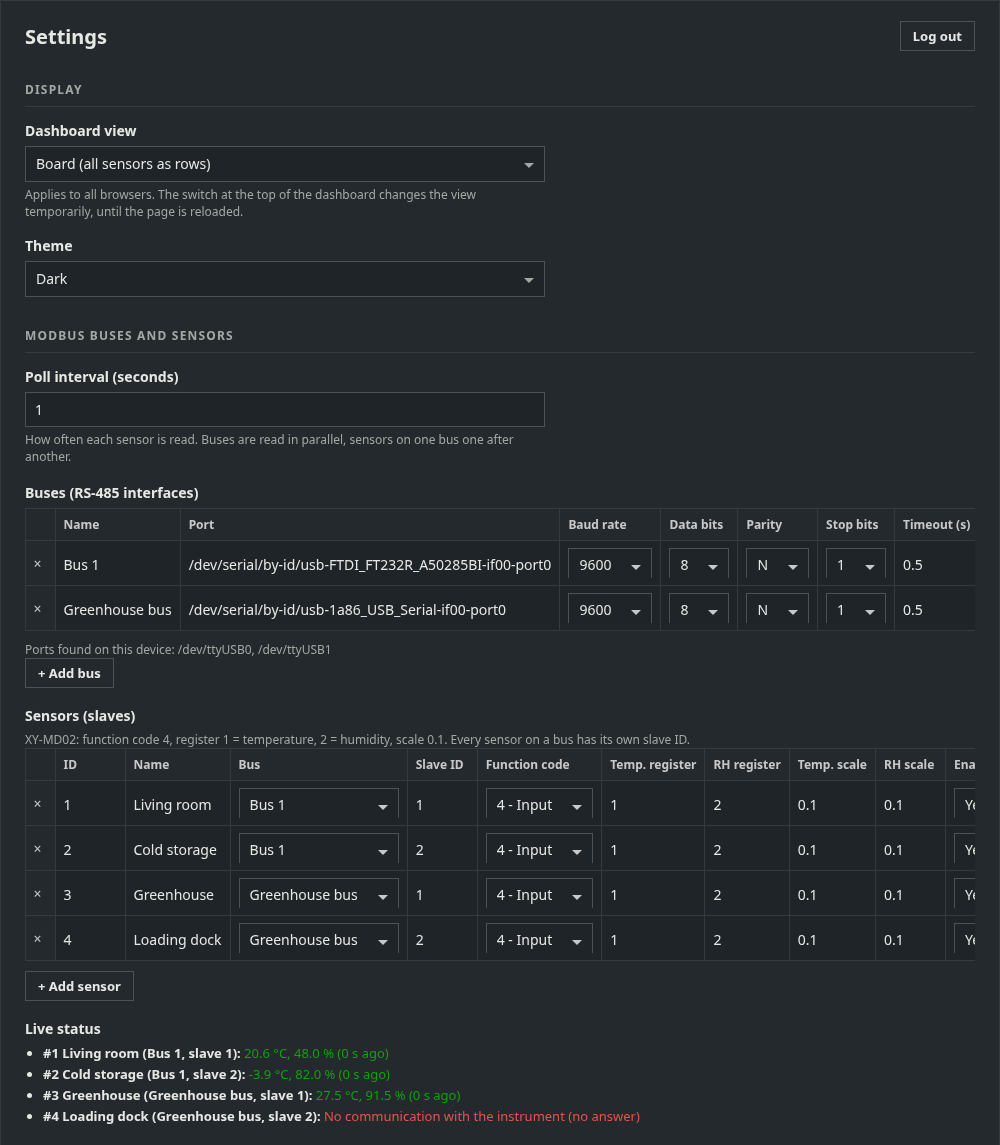
Settings: display, buses and sensors 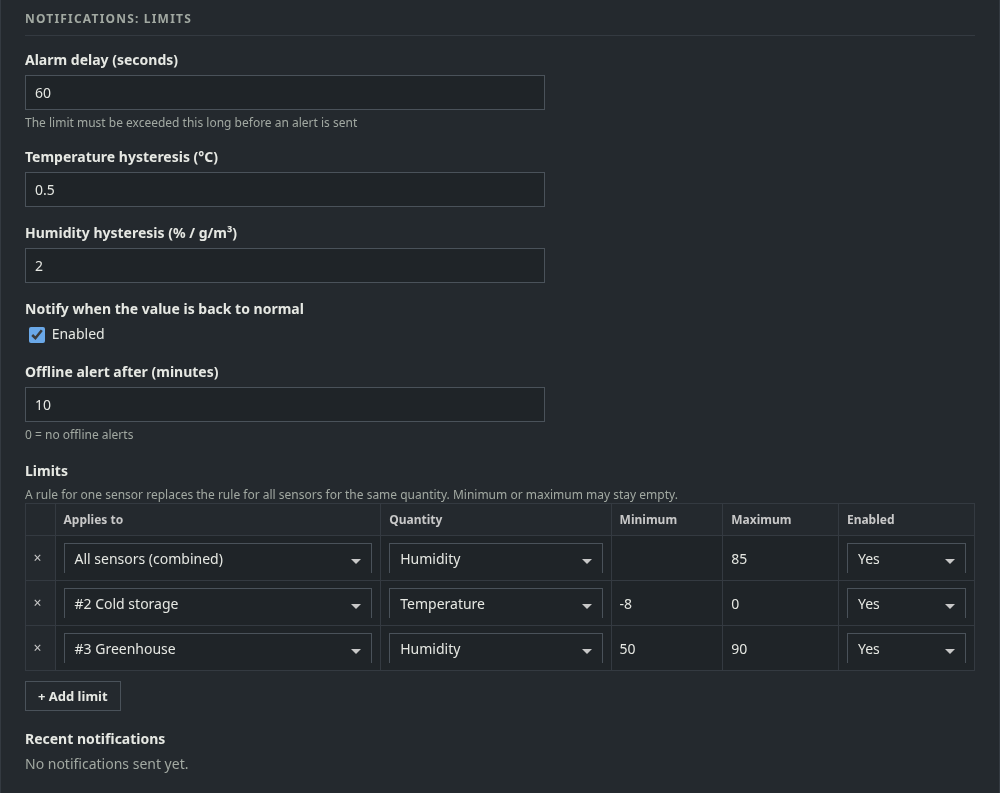
Settings: limits and notifications
// installation
Install
-
01Download
You need Python 3.10+ and a Modbus RTU sensor on RS-485. Clone the repository:
git clone https://github.com/CervezaStallone/ClimateMonitor.git -
02Install
Create a virtual environment, install the dependencies with
pip install -r requirements.txtand copy.env.exampleto.env. -
03Start
Start with
python app.pyand openhttp://127.0.0.1:8050/. Set the admin password in Settings and add your buses and sensors. -
04As a service
For devices that run unattended:
sudo ./deploy/linux/install-service.shon Linux or Raspberry Pi, ordeploy\windows\install-service.ps1as Administrator on Windows.
// links
Open source
Free to use under the MIT license. Like ClimateMonitor? A coffee helps keep development going.
Need climate monitoring or a custom Modbus integration? Get in touch.