
// projects / home assistant
BACnet/IP integration for Home Assistant
Brings building automation, such as HVAC controllers, air handling units and BMS controllers, into Home Assistant as normal entities. Fully set up through the UI, no YAML. Open source.





// features
What it does
Used with BACnet/IP controllers such as Siemens PXC, Kieback&Peter DDC4000/DDC420 and Tridium Niagara. Built on BACpypes3.
-
Automatic discovery
Devices are found with Who-Is/I-Am, also across subnets via BBMD. Then you pick which objects to import.
-
Live values
Instant updates via COV, with polling as a reliable fallback. Reads are batched with ReadPropertyMultiple and adapt to what the controller can handle.
-
Read and write
Writes with proper BACnet priority array handling. Relinquish and one-off writes are available as actions.
-
Entities
Sensors, binary sensors, switches, numbers, selects (multi-state with state texts) and climate entities.
-
Schedulesbeta
Read and change the weekly schedules and exceptions of BACnet Schedule objects from Home Assistant.
-
Any BACnet propertybeta
Extra properties, such as a fan's minimum on time, alarm limits or out of service, as their own entities. No templates needed.
-
Alarmsbeta
An alarm sensor and active-alarm list per device (GetEventInformation), plus an event for notifications. Read-only: nothing gets acknowledged.
-
Trend logsbeta
Read logged values with ReadRange. Trend Log objects show up as entities.
-
Reliability
Diagnostics, a repair message when a device goes offline and automatic reconnect. English and Dutch UI.
-
Tested in the field
Users test it on real controllers. The list of tested devices is in the README.
// screenshots
What it looks like
Demo: a simulated air handling unit (AHU 1), not a real installation.
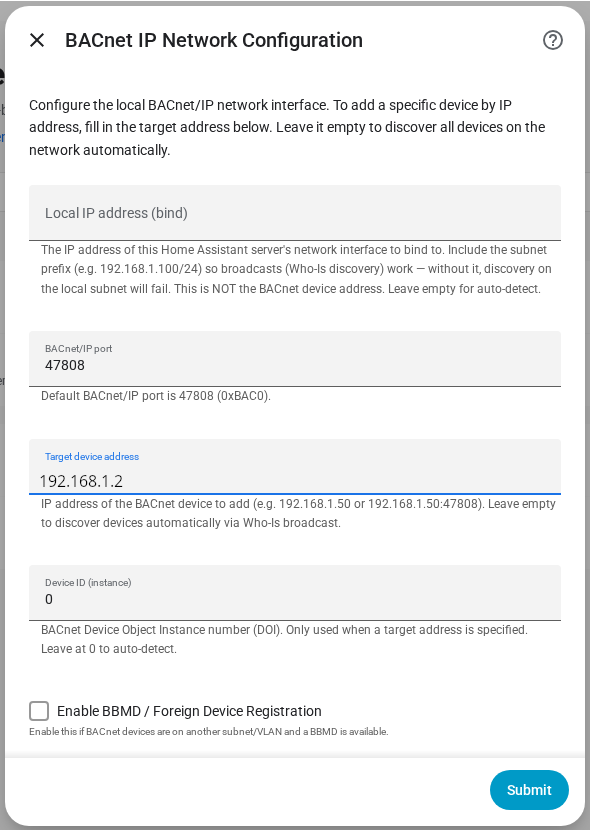
Setup: network settings 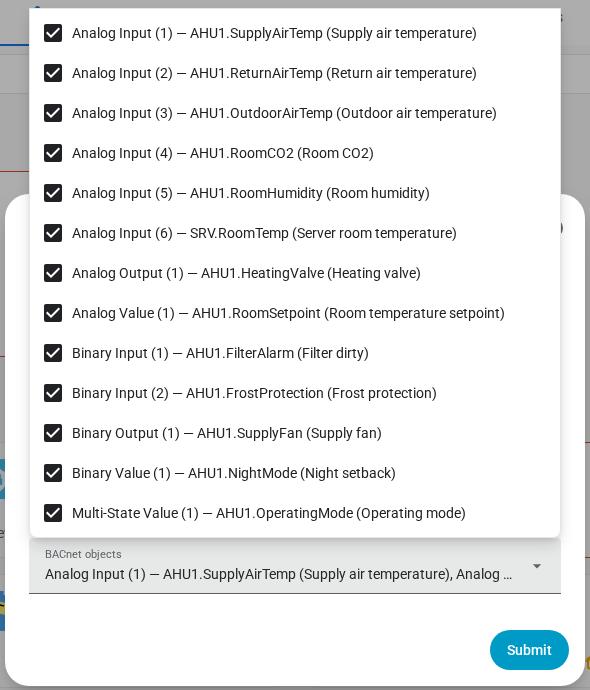
Selecting objects to import 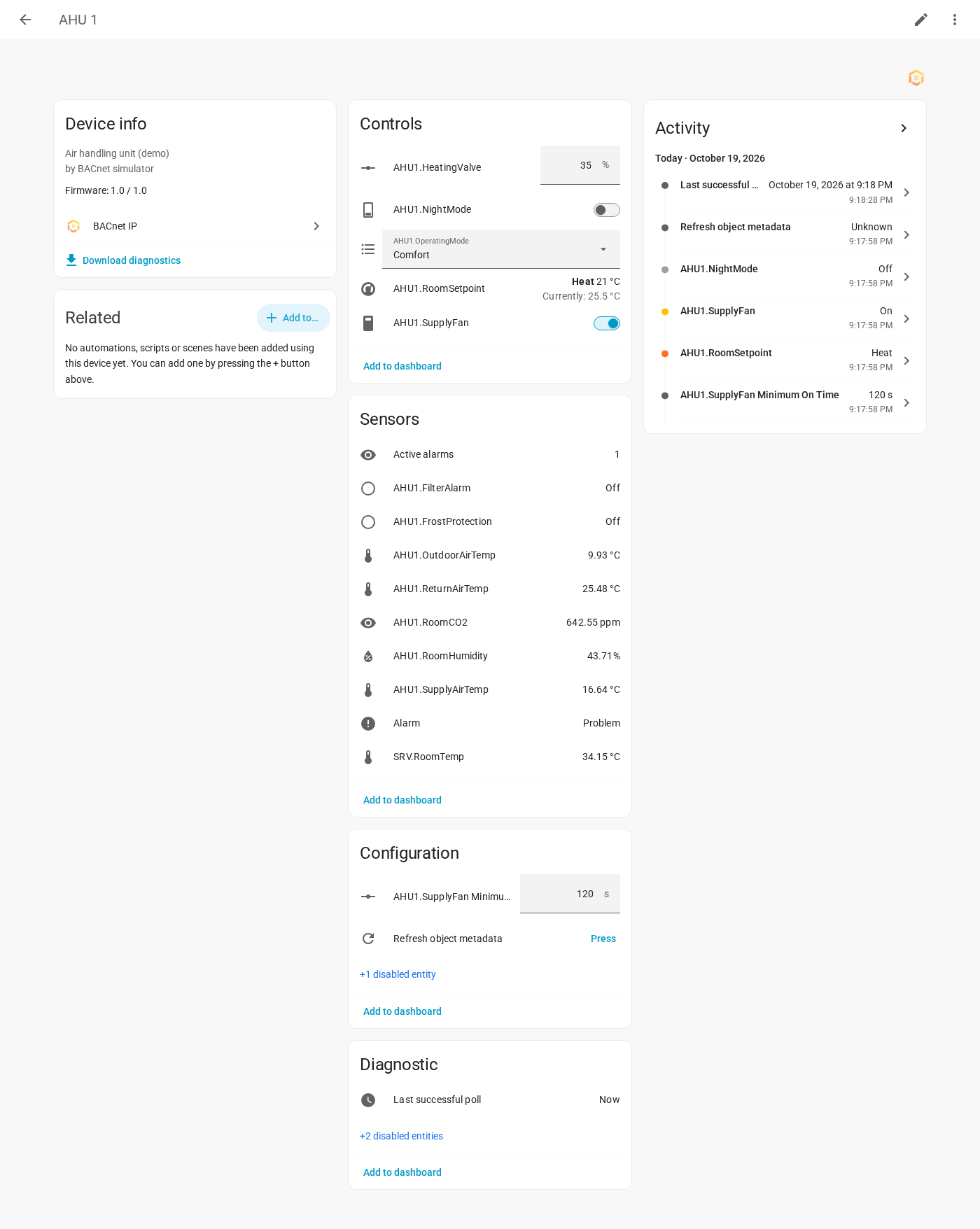
Device page in Home Assistant 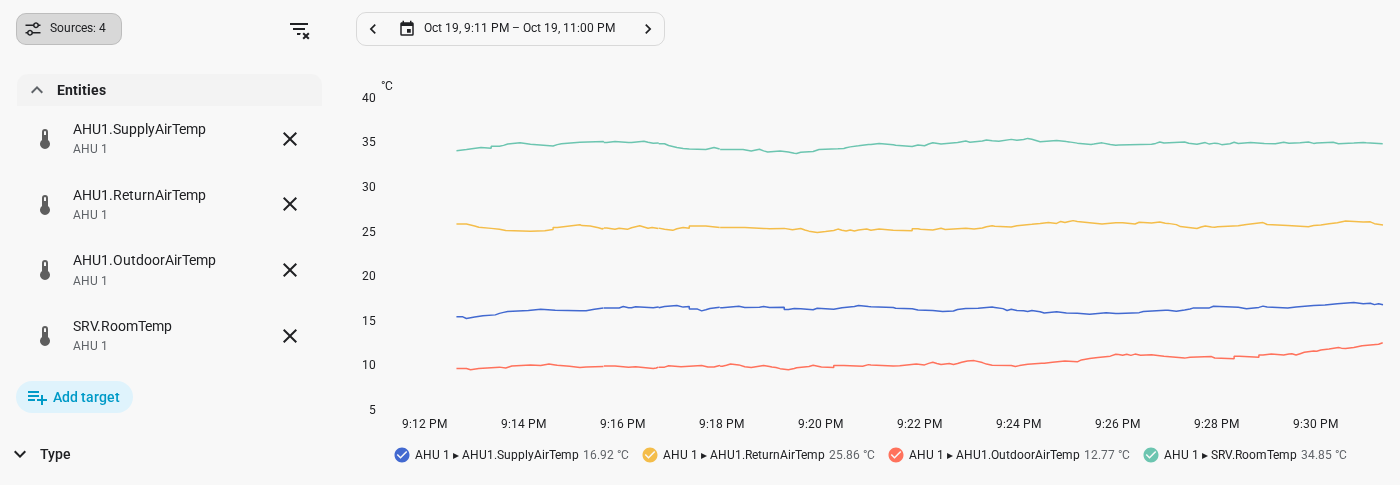
History of live values 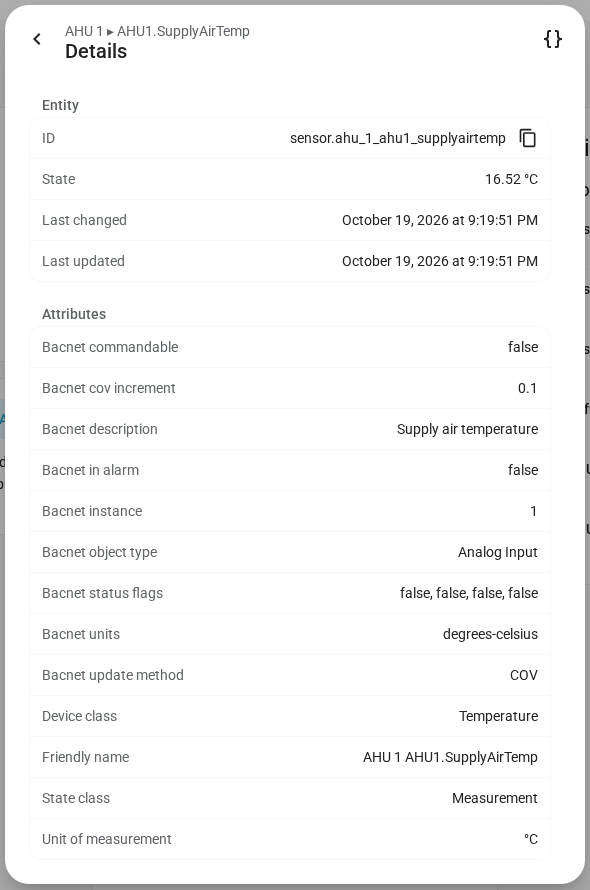
BACnet attributes of an entity 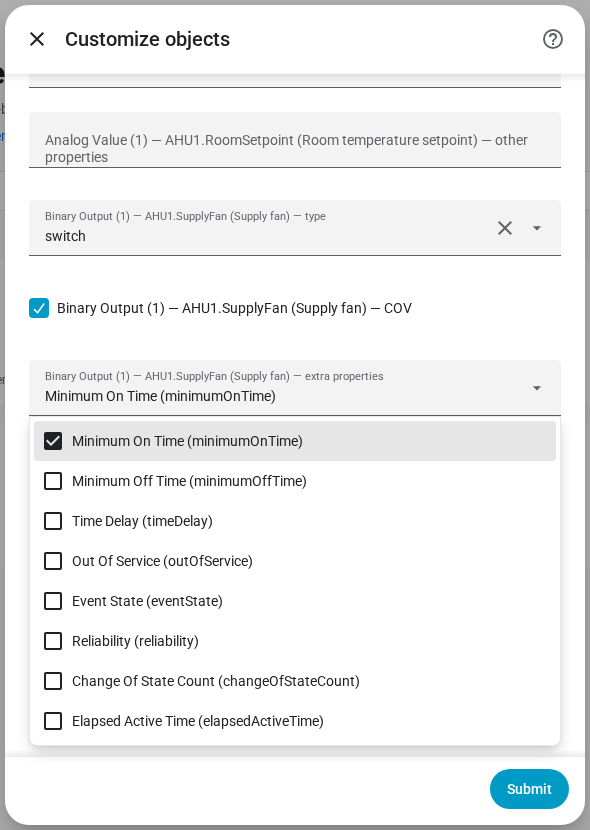
Customizing individual objects 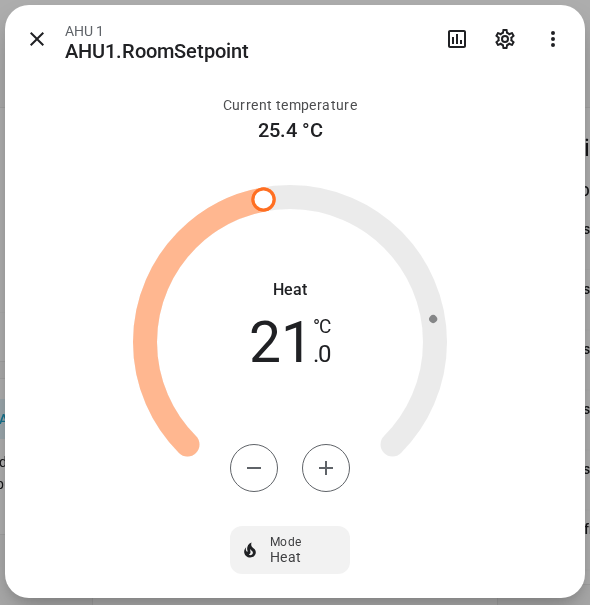
Climate entity with setpoint and room temperature 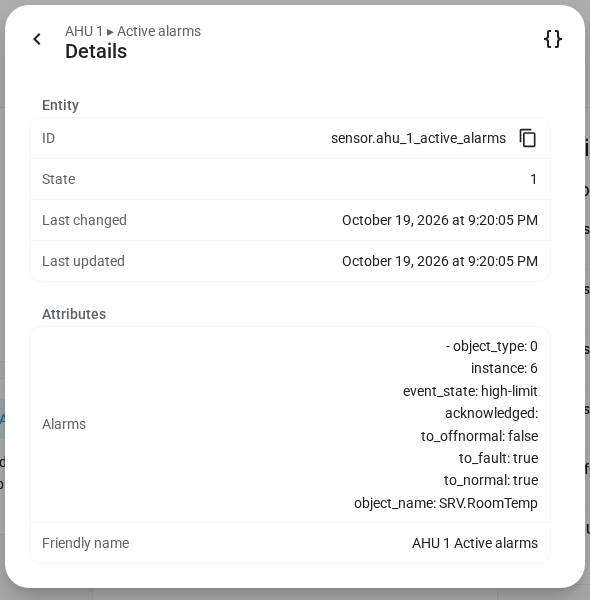
Active alarms per device
// installation
Install via HACS

-
01Add the repository
Open HACS, choose ⋮ → Custom repositories, paste
https://github.com/CervezaStallone/Home-Assistant-BACnet-integrationand select category Integration. -
02Download
Download BACnet IP Integration and restart Home Assistant. For the features marked beta, enable beta versions in HACS first.
-
03Add the integration
Go to Settings → Devices & services → Add integration and search for BACnet IP.
-
04Pick a device
Choose a discovered device, select its objects and you're done. Values start coming in right away.
// links
Open source
Free to use. Like the integration? A coffee helps keep development going.
Need BACnet integrated in your own building? Get in touch.