
// projects / node-red
Network diagnostics and monitoring for Node-RED
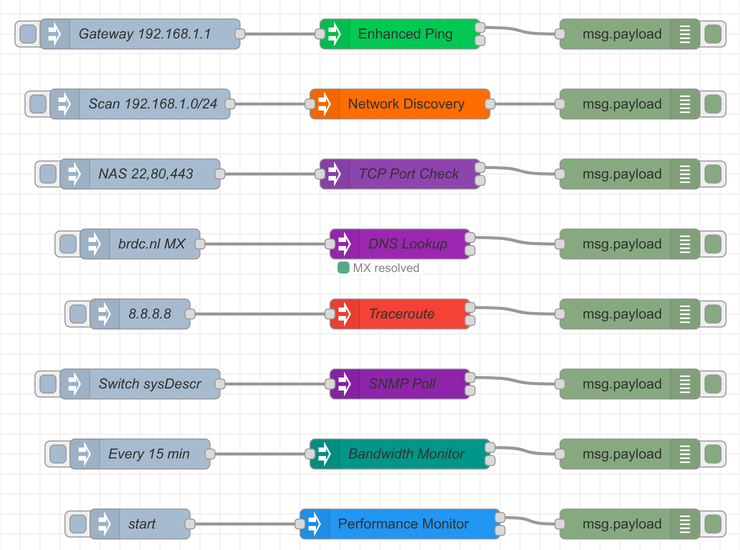
Nine nodes for ping, network scans with Bonjour/mDNS, DNS, port checks, traceroute, bandwidth and SNMP, right in your flows. Install through the palette manager or npm. Open source.






// features
What it does
All nodes are in the palette under brdc-network-nodes. Works on Windows, macOS and Linux, with Node-RED 1.0 or newer.
-
Ping IP
Quick reachability check of an IP address or hostname, IPv4 and IPv6, with latency.
-
Enhanced Ping
Multiple pings with statistics: average, minimum and maximum, packet loss and jitter. Also continuous monitoring, with retries.
-
Network Discovery
Scan a subnet (CIDR), an IP range or a single address. With hostnames, an optional port scan and Bonjour/mDNS to find printers, NAS and other services.
-
Performance Monitor
Watch several targets continuously, with thresholds for latency, packet loss and availability and an alert when one is exceeded.
-
DNS Lookup
Query A, AAAA, MX, TXT, CNAME and NS records, or do a reverse lookup (PTR) of an IP address.
-
TCP Port Check
Check whether ports are open, also when ping is blocked. Several ports at once, with the response time per port.
-
Traceroute
The path to a target hop by hop, with IP address and response times. Uses traceroute or tracert, depending on the platform.
-
Bandwidth Monitor
Measures real download speed in Mbps against a configurable test URL, a Cloudflare speed test by default.
-
SNMP Poll
Read switches, routers, printers and UPS units over SNMP v1 and v2c. Several OIDs per poll; one bad OID does not break the rest.
// screenshots
What it looks like
Demo flow with all nine nodes. The DNS lookup was actually run.
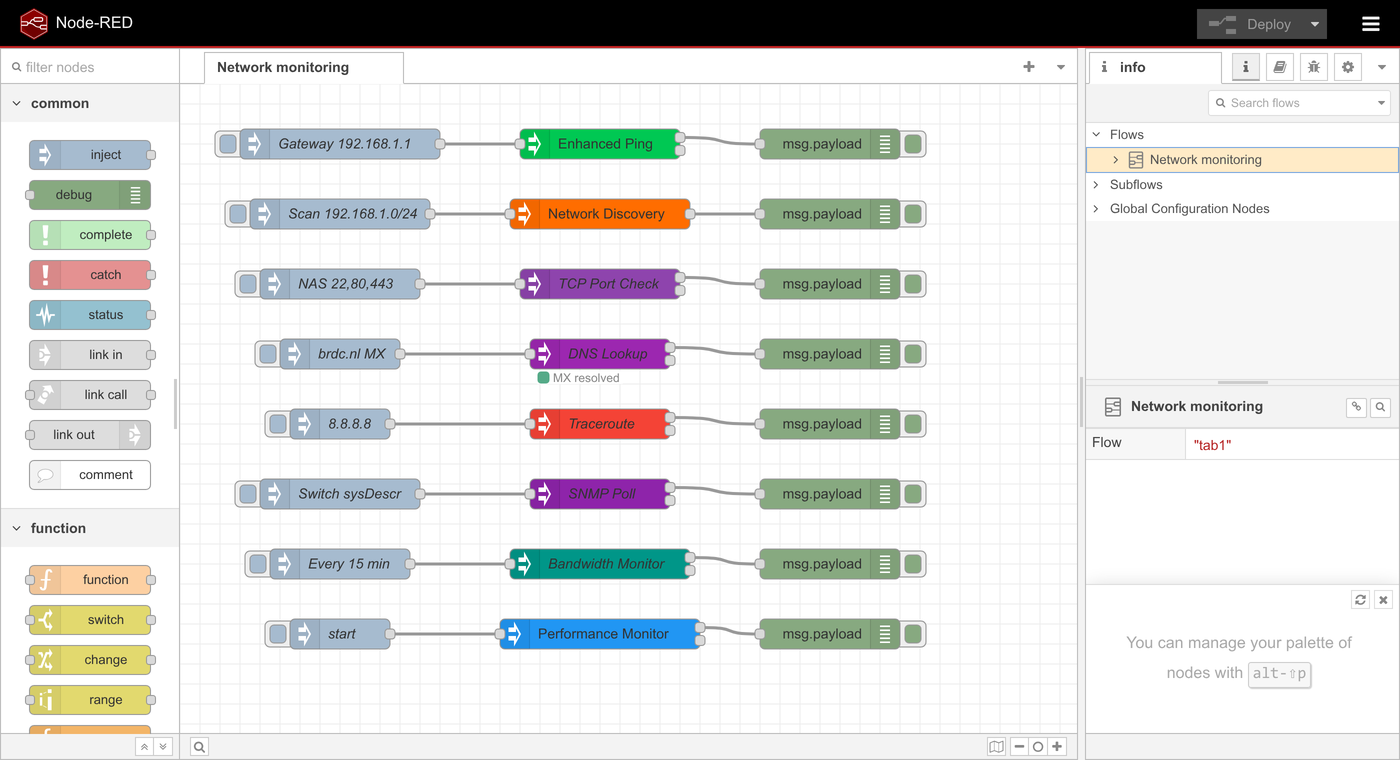
Demo flow with all nine nodes 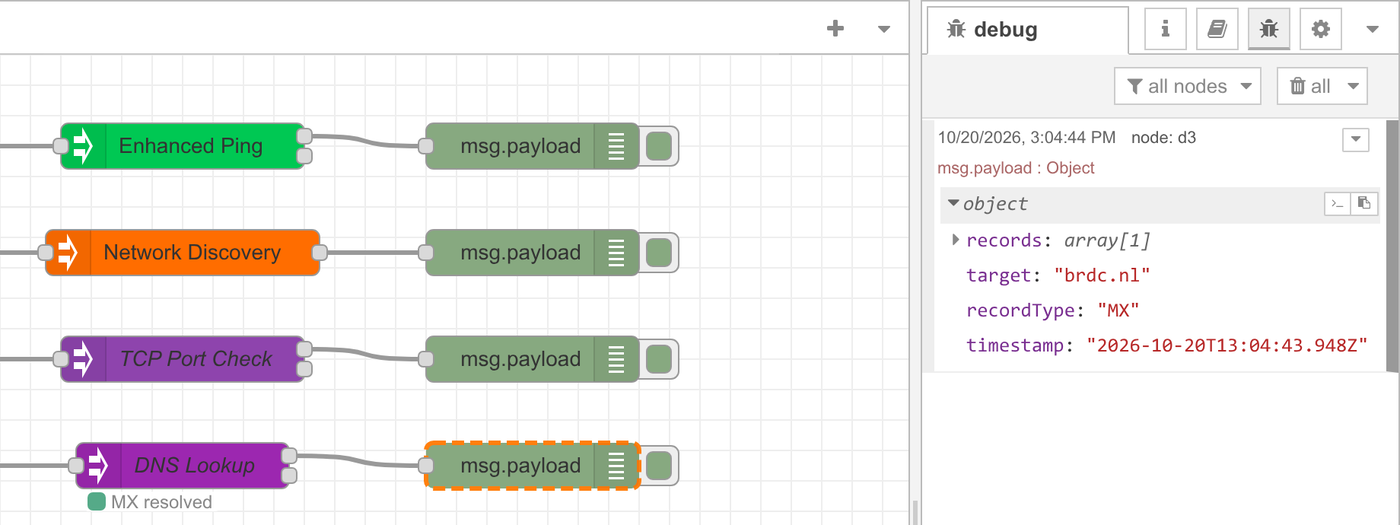
Result of a DNS lookup (MX) in the debug sidebar 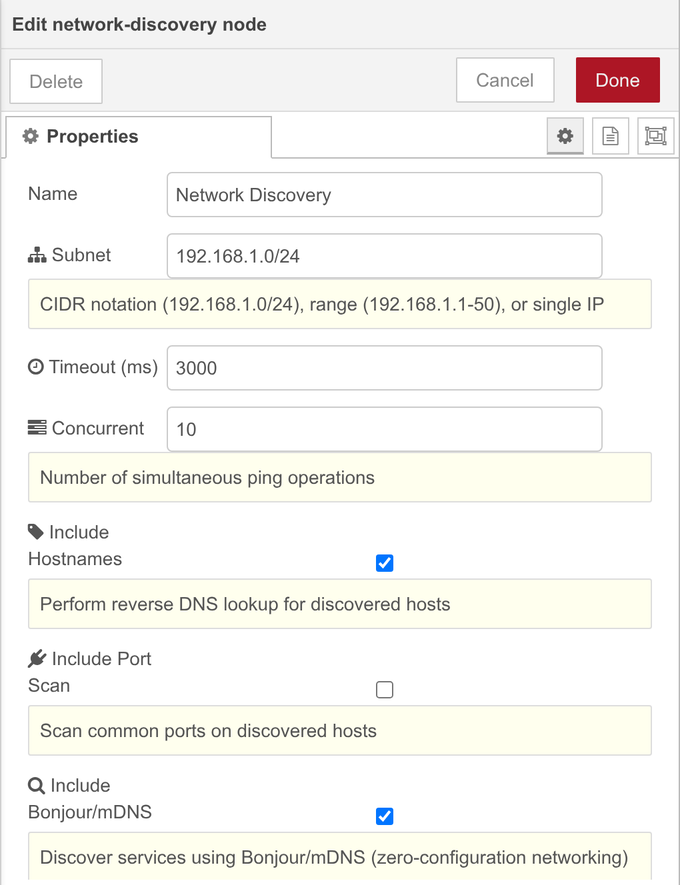
Settings of the Network Discovery node 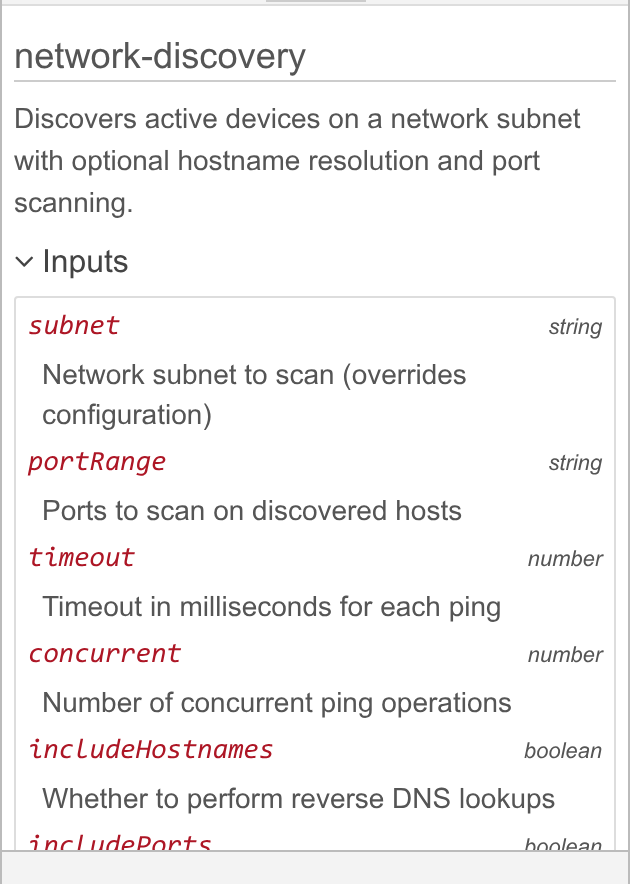
Built-in help for every node
// installation
Install
-
01Install
In Node-RED: Menu → Manage palette → Install and search for
node-red-contrib-network-tools. Or with npm in your Node-RED folder:npm install node-red-contrib-network-tools -
02Restart
Restart Node-RED after installing with npm. The nodes are then in the palette under
brdc-network-nodes. -
03Build a flow
Drag a node into your flow, fill in the target (IP address, hostname or subnet) and wire up an inject and a debug node.
-
04Deploy
Click Deploy. Targets can also be passed per message through
msg.payload, for example from a dashboard or another flow.
// links
Open source
Free to use under the GPL-3.0 license. Like the nodes? A coffee helps keep development going.
Need network monitoring or a custom Node-RED integration? Get in touch.