
// projects / home assistant
Home Assistant as a Modbus TCP slave
Turns Home Assistant into a Modbus TCP device. Pick an entity and a register address, and any PLC, SCADA or energy manager can read it. Set up entirely in the UI, no YAML. Open source.


Latest version: v1.1.0 · · Changelog
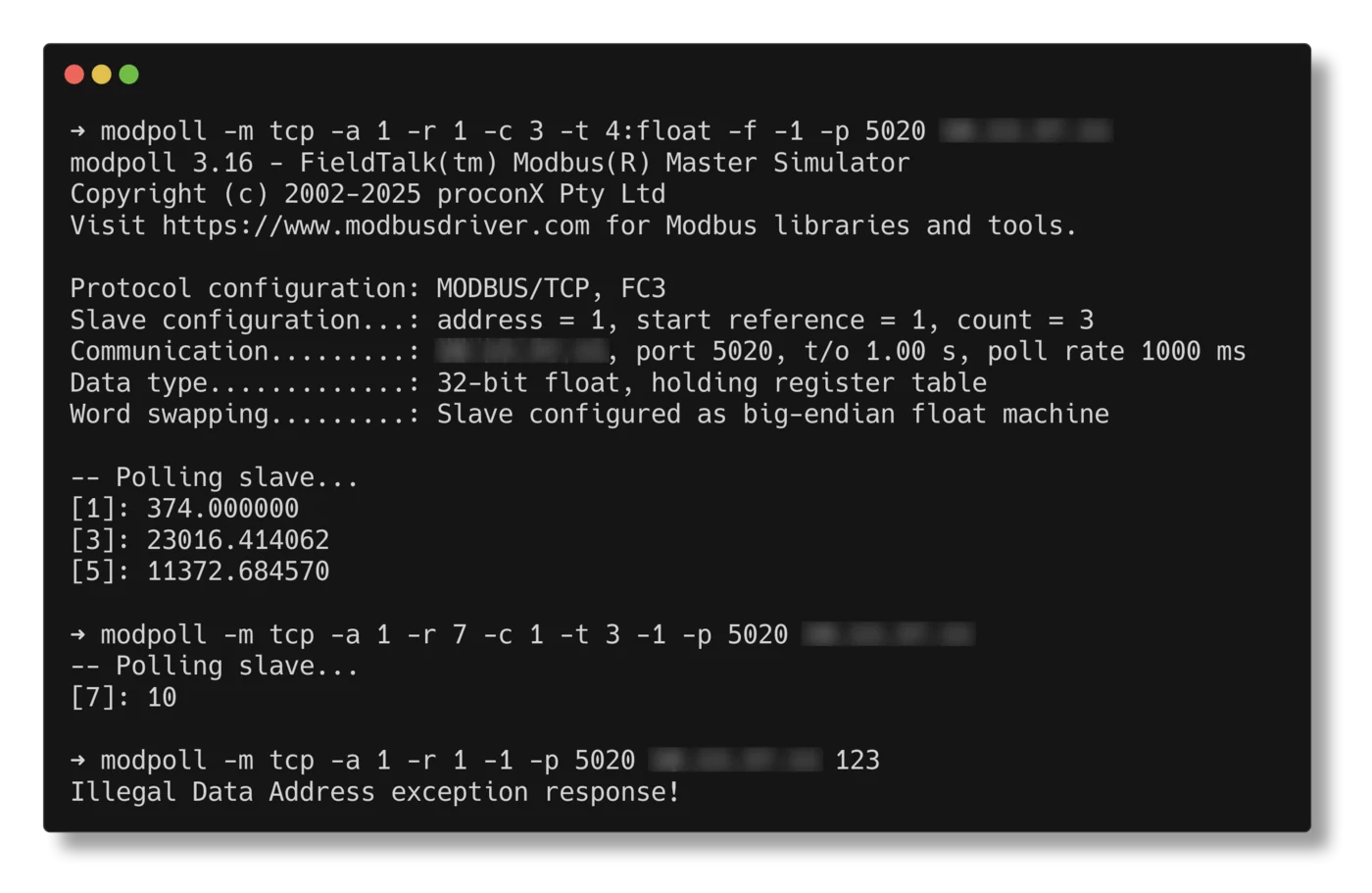
// features
What it does
Everything Home Assistant knows becomes available as Modbus registers. Your PLC reads the outdoor temperature from a Zigbee sensor, your energy manager reads the car charger's power, and if you allow it, the PLC switches a light or sets a thermostat.
-
Simple setup
Slave ID and port (default
502), and Home Assistant answers Modbus TCP requests. -
Map any entity
Pick an entity and a start address. The register follows the entity's state right away, no polling.
-
Automatic data types
On/off becomes a bit, whole numbers
uint16orint16, everything elsefloat32. Override withuint32,int32orscaled16(value × 10/100/1000 in one register). -
Works with every master
Coils and discrete inputs return the same bits, holding and input registers the same registers, so masters that only support FC3 still see everything.
-
Optional write-back
Tick Writable and the master can switch entities or set numbers, with proper Modbus exception codes on invalid writes.
-
Allowed masters
Only accept connections from listed IP addresses or ranges, and optionally listen on one interface, such as your PLC VLAN.
-
Behaves like a real device
Answers only its own slave ID, like a device behind a gateway. Requests for other unit IDs get no reply.
-
Safe on a live site
Read-only by default. Writes only go to switchable and settable entities, within their min/max, and never half a 32-bit value.
Modbus TCP has no authentication. Fill in Allowed masters, keep the port on a trusted network or VLAN and never forward it to the internet.
// screenshots
What it looks like
Demo with values from a P1 smart meter (power, energy, current) mapped to registers.
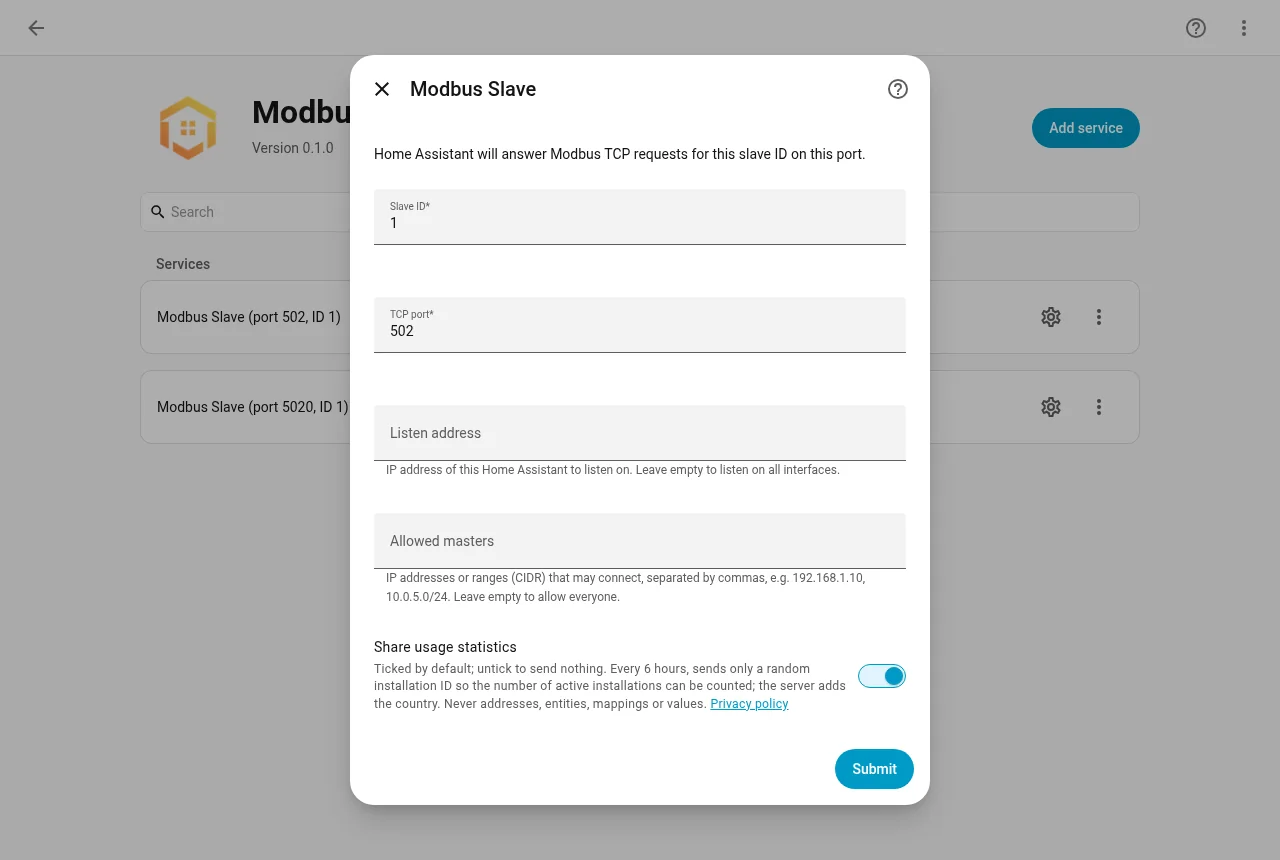
Setup: slave ID, port, listen address and allowed masters 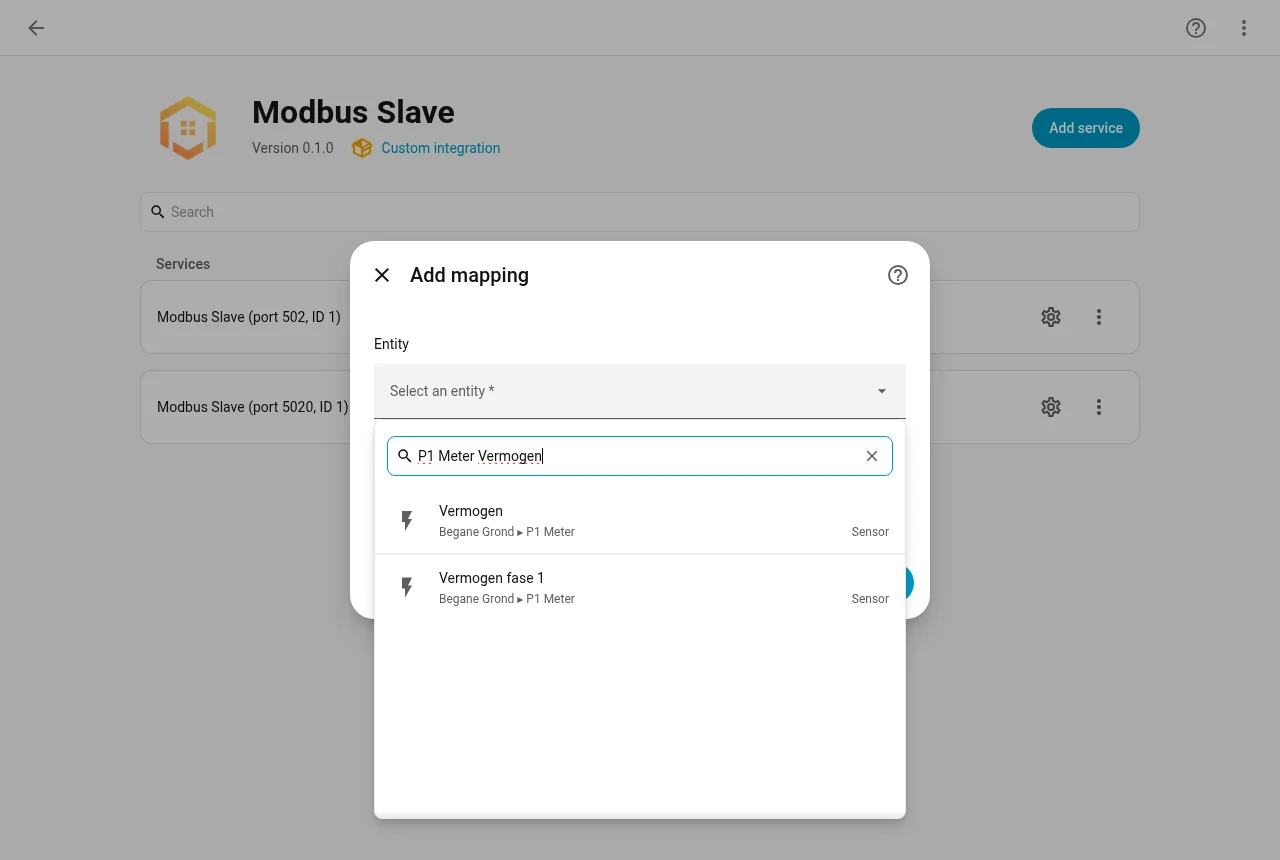
Add mapping: pick any entity 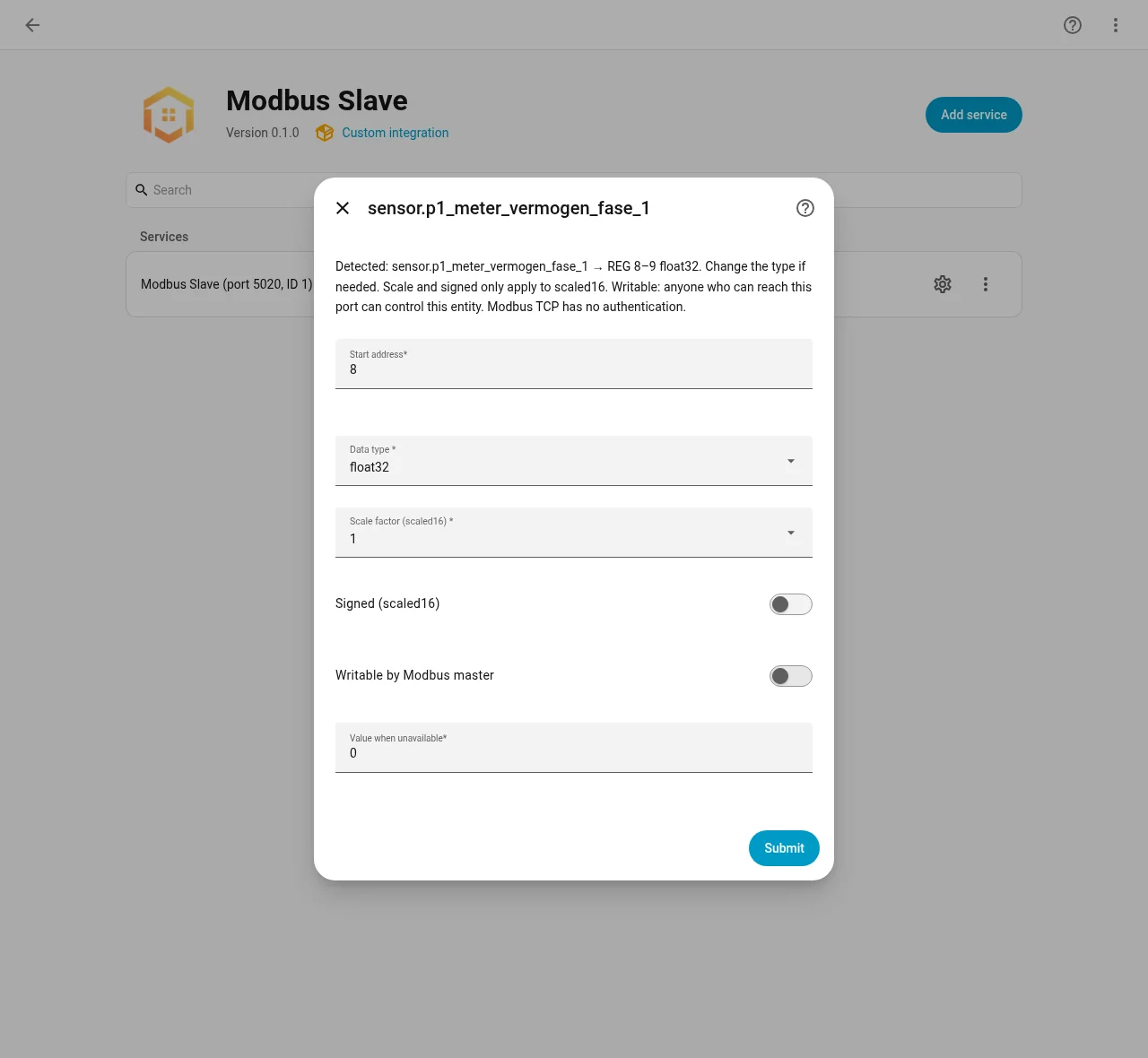
Detected data type, ready to confirm or change 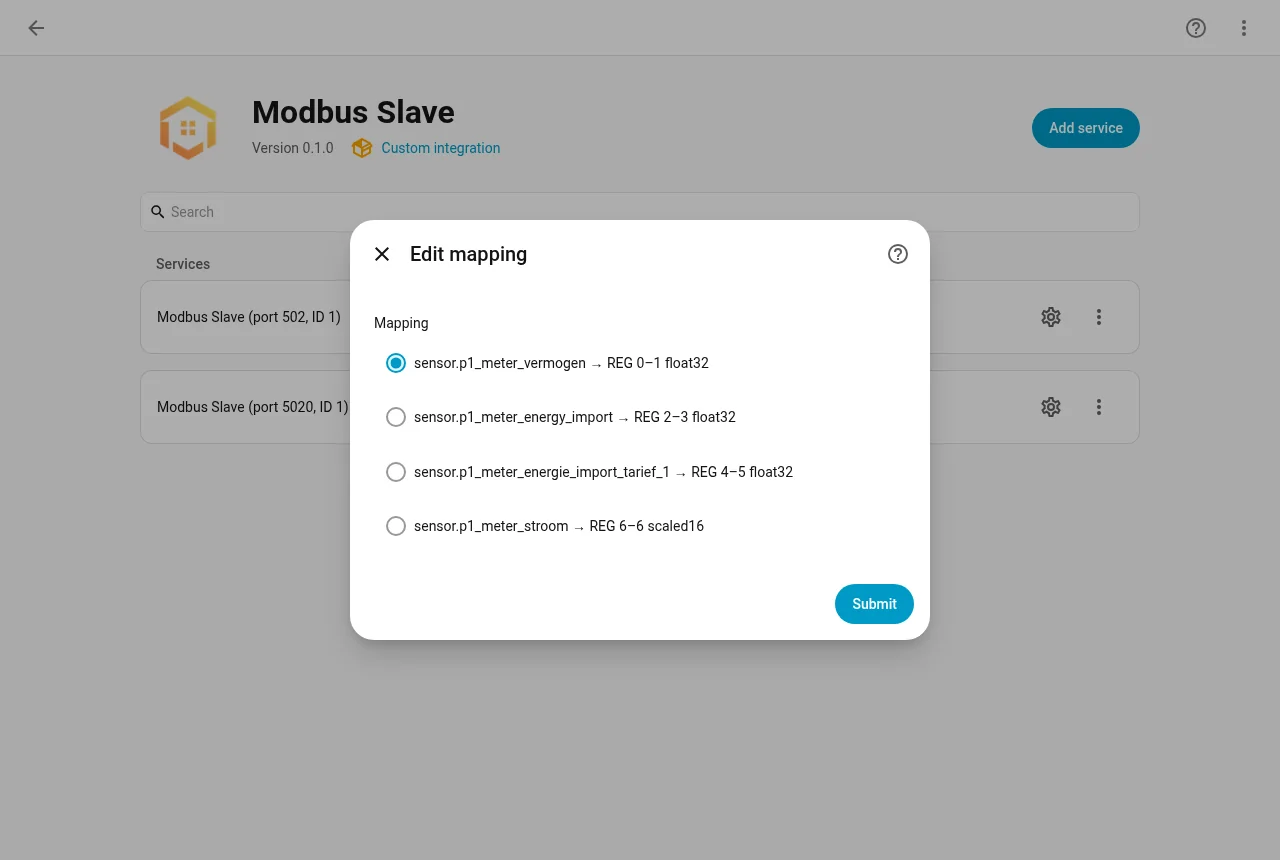
All mappings with their registers
// installation
Install via HACS

-
01Add the repository
Open HACS, choose ⋮ → Custom repositories, paste
https://github.com/CervezaStallone/HA-Modbus-Slaveand pick category Integration. -
02Download
Download Modbus Slave and restart Home Assistant.
-
03Add the integration
Go to Settings → Devices & services → Add integration, search for Modbus Slave and set the slave ID and port.
-
04First mapping
Click Configure → Add mapping, pick an entity and a start address. The master can read it right away.
Port 502 works on Home Assistant OS and Supervised. On Container or Core running as non-root, pick a port from 1024 up, for example 5020.
// links
Open source
Free to use under the GPL-3.0 licence. Like the integration? A coffee helps further development.
Connecting Modbus to your PLC, BMS or energy manager? Get in touch.