
Home Assistant BACnet integration documentation
The BACnet IP integration brings BACnet/IP devices into Home Assistant. BACnet is the protocol used in professional building automation for HVAC, lighting, access control and energy management. If your building has BACnet controllers, thermostats, sensors or actuators, this integration makes them available as Home Assistant entities, so you can use them on dashboards, in automations and in scripts.
Everything is set up through the Home Assistant interface. There is no YAML to write for the integration itself. This documentation describes release 1.0.55.
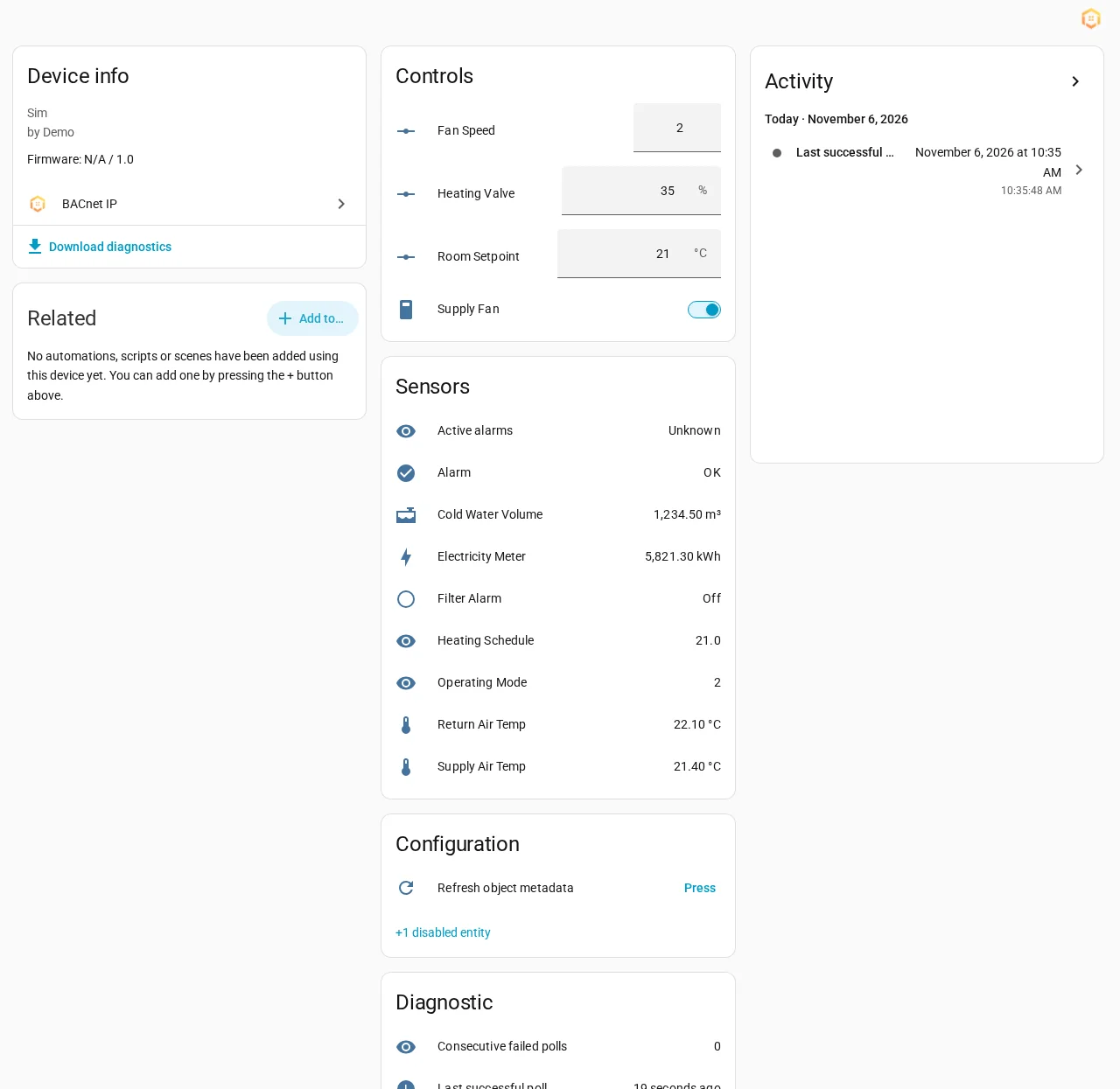
What you can do
- Discover and add devices with a three-step wizard: network, device, objects. See Getting started.
- Get live values through Change of Value (COV) subscriptions, with polling as a safe fallback. See Configuration.
- Read and write sensors, switches, numbers, multi-state selects and climate entities, with correct BACnet priority handling. See How writes work.
- Call actions to write a value once, release a command, read any property, read a schedule or trend log. See Actions.
- Manage schedules: read and change the weekly schedule, exceptions and default of BACnet Schedule objects. See Schedules.
- Read trend logs that controllers keep. See Trend logs.
- Follow alarms the controller already tracks. See Alarms.
- Show extra properties such as limits and minimum run times as entities. See Extra properties.
- Use ready-made automations in Examples.
Where to start
- Check the requirements and install the integration: Installation.
- Add your first device: Getting started.
- Read How writes work before you control anything on a running building.
- Something not working? See Troubleshooting.
BACnet is a registered trademark of ASHRAE. This is an independent open-source integration. It is not affiliated with, endorsed by or certified by ASHRAE, BACnet International or the BACnet Testing Laboratories, and it is not an official Home Assistant integration.