
BACnet setpoints as Home Assistant climate entities
A climate entity gives you the Home Assistant thermostat card for a BACnet setpoint. Any object can be made a climate entity in Customize objects: set its type to climate.
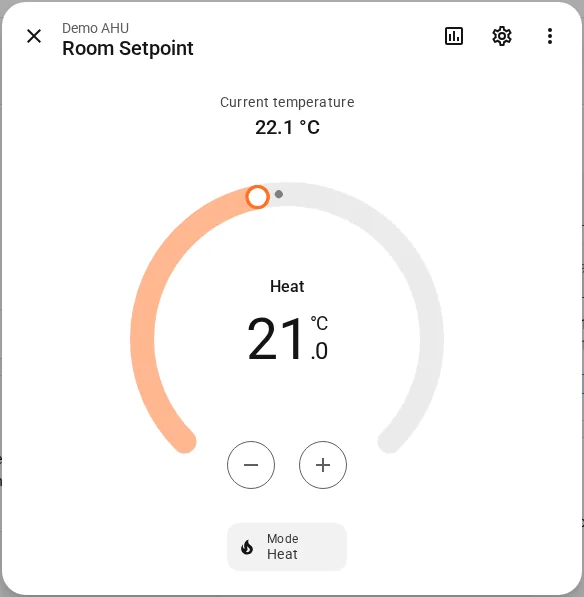
Room temperature
A climate entity is built from a single setpoint object. To show a real room temperature next to it, pick a temperature sensor for the object: another BACnet object of the device that provides the room temperature. Without one, the climate entity shows its setpoint as the current temperature.
If you just changed an object to climate, save first, then open the options again to pick its temperature sensor.
Step by step: Setpoint as climate.
Off and Heat
- Set temperature writes the setpoint at the configured write priority.
- Off relinquishes the setpoint (writes Null), so the schedule or Relinquish Default of the controller takes over.
- Heat writes the setpoint again.
Whether the entity is off is remembered from the last Home Assistant state. Writes use the Write Priority of the device, and bacnet.relinquish also works on climate entities.
For a worked automation, see Temporary setpoint with a climate entity.