
Guide - add a holiday to a BACnet schedule
Goal: on one date, the controller follows a different value than the weekly schedule, by adding an exception to a Schedule object.
Before you start
- The Schedule object is imported. It appears as a sensor that shows the value the schedule currently commands.
- Each BACnet device is its own entry, titled with the device name, under Settings → Devices & Services → BACnet IP; the schedule sensor is on the device page of your device.
- You know the entity ID of that sensor, for example
sensor.ddc_heating_schedule. - Read Schedules: the exception schedule is always replaced as a whole.
Steps
- Go to Developer tools → Actions and run
bacnet.read_scheduleon the schedule sensor. This shows what your controller returns, including the existingexception_schedule. Developer tools shows the response itself.response_variableis only needed in an automation or script.action: bacnet.read_schedule target: entity_id: sensor.ddc_heating_schedule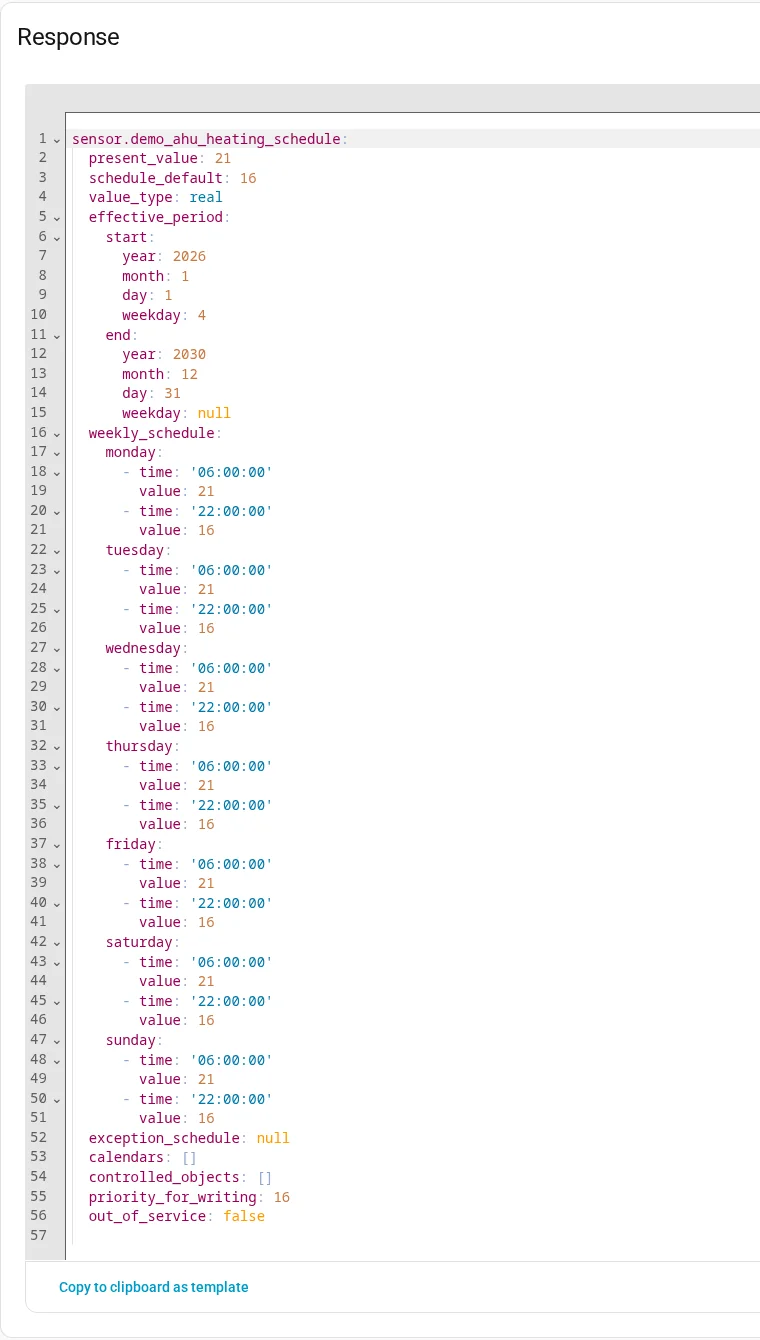
- Copy the existing exceptions. You must pass them again, or the write fails.
- Run
bacnet.write_schedulewith the full list: the existing exceptions and the new one. The value is written in the datatype of the schedule itself.priorityruns from 1 to 16; lower wins. After the write, the schedule is read back. You should see no error. Runbacnet.read_scheduleagain to confirm the exception is there.action: bacnet.write_schedule target: entity_id: sensor.ddc_heating_schedule data: exception_schedule: # ...plus every existing exception you want to keep - period: { date: "2026-12-25" } priority: 10 time_values: - { time: "00:00:00", value: 16 }
If it doesn't work
- The action fails and lists exceptions: the write would remove exceptions the device has. Pass the full list, or set
allow_removal: trueif removing them is what you want. - The action fails after the write: the device rejected the change or stored something different.
- The dates look different when you read them back: dates are returned with raw BACnet numbers (month 13 and 14 mean odd and even months, day 32 the last day of the month).
More detail: Schedules and bacnet.write_schedule. An automatic version: Calendar events as schedule exceptions.