
Guide - control a BACnet output at a chosen priority
Goal: you control a BACnet output from Home Assistant at the priority you choose, and you know how to hand control back to the controller.
Before you start
- The device is already added (see Getting started).
- The output is a switch (Binary Output or commandable Binary Value) or a number.
- Read Safety on a live site and try this on one object first.
Steps
- Go to Settings → Devices & Services → BACnet IP. Each BACnet device is its own entry, titled with the device name. Open the entry of your device.
- Under Configuration, the Write Priority entity is not listed yet, because it is disabled by default. On the device page, open the "+1 entity not shown" link, open the Write Priority entity and switch on Enabled. Home Assistant reloads the integration after a short delay.
- Use the dropdown to select a priority. The levels are
8(Manual Operator),9,12,13,14,15and16(default, lowest). The selected priority is kept after a restart and applies to the writes of all entities of the device. Switching on, switching off and setting a number now write at that priority.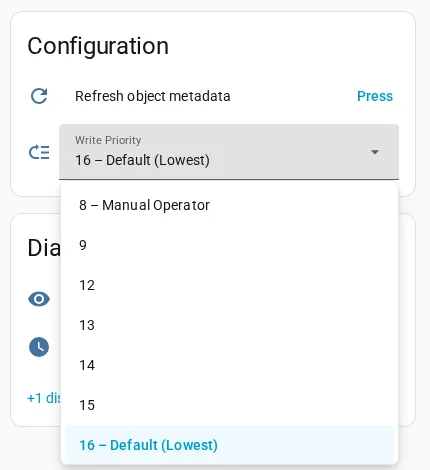
- To write once at another priority, without changing the Write Priority, use Developer tools → Actions and run
bacnet.write_valueon the entity. Binary objects take0(inactive) or1(active):action: bacnet.write_value target: entity_id: switch.ahu_1_supply_fan data: value: 1 priority: 11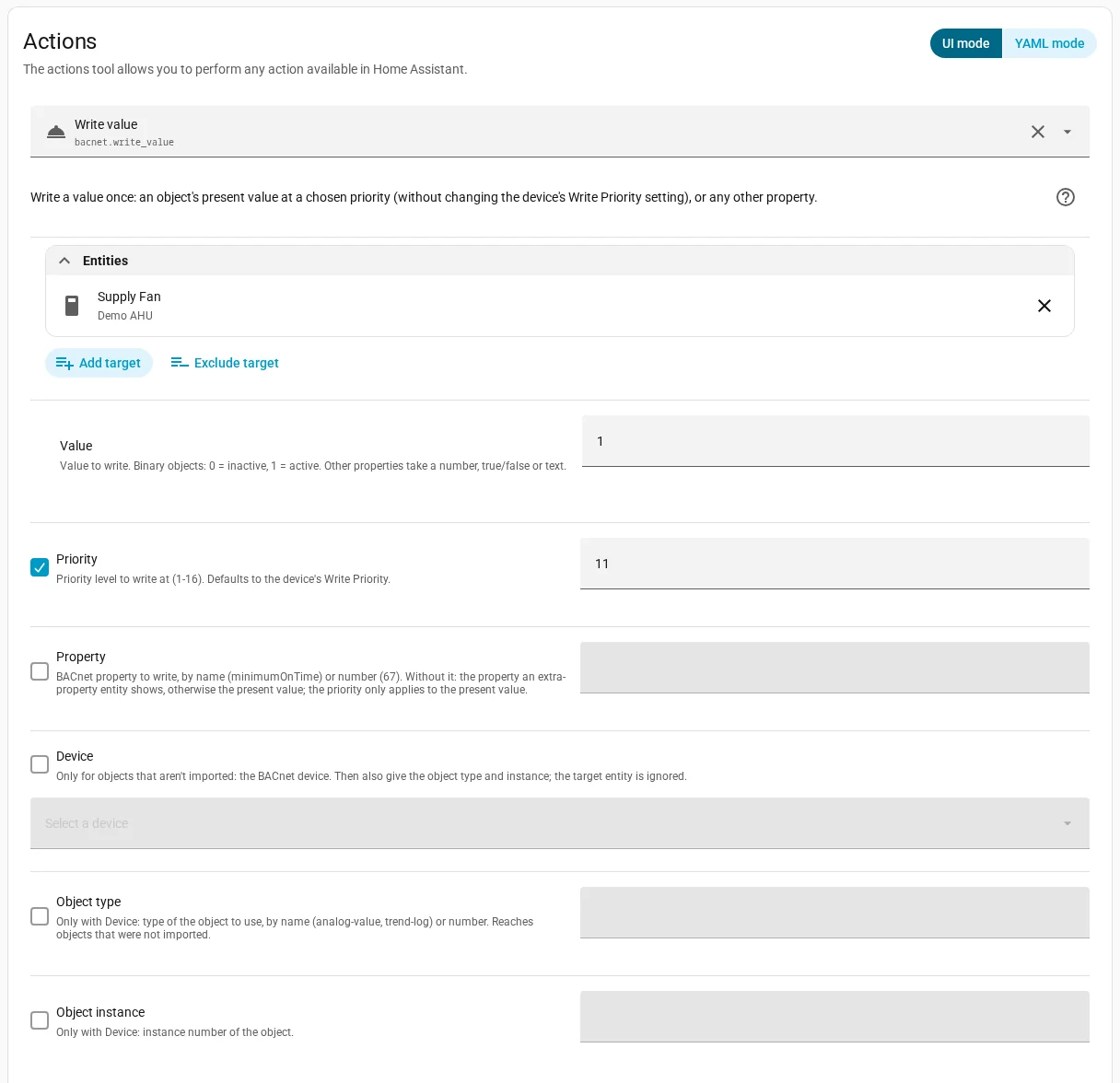
- To release the command, run
bacnet.relinquishat the same priority. After the release, lower priorities or the Relinquish Default of the object take over.action: bacnet.relinquish target: entity_id: switch.ahu_1_supply_fan data: priority: 11
Off is not released
Switching off writes inactive (0) at the same priority. That commands the output off; it does not release it. Only bacnet.relinquish hands control back.
If it doesn't work
- Home Assistant shows an error on a write: the device rejected it. Check the log, and check the
bacnet_commandableattribute of the entity. - The write has no effect: a higher priority (a lower number) holds a value. Priorities 1 to 15, including a Manual Operator command at 8, win over 16. Write at a lower number on purpose, or release the other command.
- You cannot find Write Priority: it is disabled by default. Enable it as described in step 2.
More detail: How writes work, bacnet.write_value and bacnet.relinquish.